

Before you buy USA website traffic, it helps to know exactly what you're paying for. This guide covers how many visits each Noori Stream USA plan delivers, what each visit costs, how to confirm the visits in Google Analytics 4, how refunds and cancelling work, and what no traffic plan can do.
The United States is a saturated, fiercely competitive digital market. Surveys from the Pew Research Center show U.S. adult internet adoption climbed from 52% in 2000 to 97% in 2026, a 45-percentage-point expansion that turned web visits into a mass-market channel. Commercial activity followed closely behind, with the U.S. Census Bureau estimating seasonally adjusted U.S. retail e-commerce sales at $316.1 billion in the fourth quarter of 2025, up 1.7% from the prior quarter (with an uncertainty margin of plus or minus 0.5 percentage points). Competition for attention in that market pushed U.S. internet advertising revenue to $258.6 billion in 2024, a 14.9% year-over-year increase according to the IAB/PwC Internet Advertising Revenue Report.
Against that backdrop, a traffic plan does one specific job: it sends a steady daily flow of visits from the United States that you can watch arrive in Google Analytics. It isn't a substitute for finding customers, so every plan, price and limit below comes with a check you can run in your own reports.
On this page
- Compare USA Plans by Visits, Keywords and Cost per Visit
- How to Judge a USA Traffic Provider Before You Pay
- Why USA Traffic Fits Some Sites and What It Cannot Deliver
- Watching USA Visits Arrive and Confirming Country in GA4
- Pricing, Refunds and Cancelling Without Surprises
- Confirm Your Plan and Judge the Results After a Month
Compare USA Plans by Visits, Keywords and Cost per Visit
Noori Stream's three USA plans differ in daily visits, keyword slots and cost per visit:
| Plan | Price per month | Visits per day | Visits per month | Target keywords | Cost per visit |
|---|---|---|---|---|---|
| Silver | $10 | 200-400 | about 7,500 | 1 | about $0.00133 |
| Gold | $20 | 400-600 | about 15,000 | up to 3 | about $0.00133 |
| Diamond | $40 | about 1,500 | about 45,000 | up to 4 | about $0.00089 |
All monthly visit estimates are calculated on a 30-day cycle, and subscriptions run every day until cancelled rather than stopping after a single lump sum. Delivery is spread through every day under an hourly limit, so visits never arrive in one burst. Low bounce rate settings make visits open more than one page and stay on the site, instead of leaving after a single page.
Look closely at the cost per visit column. Silver and Gold carry an identical approximate unit rate of $0.00133 per visit, meaning stepping up from $10 to $20 doubles expected volume and triples keyword slots without changing per-visit cost. Diamond drops the unit rate to roughly $0.00089 per visit, delivering three times Gold's monthly volume and six times Silver's. Prices shown here apply to USA traffic; campaigns for other countries carry their own prices on the order form, with Mexico and Australia starting at $15 monthly. Because daily visit numbers are ranges that depend on network availability, treat the monthly totals as approximations rather than guaranteed counts. The $10 tier serves as the lowest-commitment entry point for checking how delivery looks in your own analytics before upgrading.
Matching Each Plan to What You Need
Pick a plan by how many keywords you need and how many daily visits you want, rather than by total volume alone.
- Silver ($10/month): Fits one landing page and one search phrase, such as checking that visits from the United States show up in your analytics.
- Gold ($20/month): Works well for site owners who want steady daily activity spread across up to three distinct keyword themes while keeping monthly spend predictable.
- Diamond ($40/month): Makes sense when you want the most daily visits and the lowest cost per visit, spread across up to four keyword phrases.
Whichever plan you choose, judge it by the visits it delivers rather than by revenue: the plans promise visits, not sales.
How to Judge a USA Traffic Provider Before You Pay
Price sheets tell you how many sessions a vendor promises, not whether those sessions can be audited or trusted inside your analytics stack. Before entering a payment card, score any provider against six operational checks that separate transparent delivery from vague marketing claims.
| Check | What to look for | Good sign | Red flag |
|---|---|---|---|
| Delivery | Start time and daily pattern | Starts within 12-24 hours, visits spread through the day under an hourly limit | One burst of visits, or no stated start time |
| Country reporting | Whether the chosen country shows in GA4 | Demographic details shows United States, with a small share elsewhere considered normal | Promises city, state or regional targeting |
| Pricing | Monthly price, visits and keyword limits | Visit ranges per day and per month stated in US dollars | Prices or visit counts missing or unclear |
| Refunds and cancellation | Refund window and how to stop renewal | Clear full-refund windows and cancel-any-time terms | Refund terms only given after payment |
| Outcome claims | What the provider promises | Promises visits and analytics activity only | Promises sales, sign-ups, rankings or Search Console visits |
| Traffic source | How the visits are delivered | Says plainly that visits come through a traffic network, and what they can't do | Says every visit is a real customer |
Operational setup details reveal a great deal about a service before delivery even begins. A straightforward checkout should only require the destination HTTPS page and the target keywords visitors should arrive with, without vague promises about hidden optimization work. Pay close attention to delivery disclaimers too: daily visit totals are always ranges that depend on network availability for the target country, and recurring subscriptions continue sending traffic every day for as long as the account stays active.
Separating Analytics Activity From Valid Human Demand
Geographic accuracy is rarely the biggest technical hurdle when you buy USA website traffic. Traffic validity is the primary risk, because a session can register inside Google Analytics 4 while remaining automated, duplicated, or completely unsuitable for measuring market interest. The Media Rating Council Invalid Traffic Addendum classifies bots, spiders, and crawlers as General Invalid Traffic (GIVT) and requires accredited measurement organizations to maintain documented filtration rules alongside evidence supporting every exclusion.
Similarly, Google's invalid traffic documentation defines non-human traffic as bots or automated software designed to mimic human clicks and impressions. An hourly delivery cap prevents sudden server spikes, yet pacing alone doesn't prove that incoming sessions represent prospective buyers. Site owners should build a dedicated GA4 comparison separating campaign-period sessions from baseline traffic, then track engagement rate, average engagement time, pages per session, event completions, and conversions sliced by country, device, browser, and hour.
Before making any business decision on those numbers, cross-check GA4 sessions against raw server logs, CDN logs, consent records, and web application firewall (WAF) classifications where available. Nominal counts of 7,500, 15,000, or 45,000 monthly visits measure exposure inside analytics, not leads or customer demand.
Provider screening rule: Any row on the six-check scorecard that a vendor refuses to answer plainly in writing before checkout is a concrete reason to stop before subscribing.
Why USA Traffic Fits Some Sites and What It Cannot Deliver
Targeting American sessions isn't arbitrary for English-language publishers, online stores, and affiliate sites. If product copy uses US English, prices appear in dollars, and fulfillment ships domestically, sending visits from the United States matches the country the site is built for. Scale reinforces that fit: according to DataReportal's Digital 2025 United States report, the country counted 322 million internet users in January 2025, representing 93.1% online penetration.
On the plan side, the highest USA tier delivers roughly 1,500 visits per day, while every tier's daily numbers are ranges rather than fixed quotas because delivery depends on network availability for the target country. Noori Stream prices all monthly country and keyword plans in US dollars, includes low bounce rate settings on each tier, and lets buyers select their destination country at checkout. Readers comparing national pools across different markets can review how geo-targeted website traffic behaves across regions.
That geographic precision has a hard floor. Country selection is the finest granularity offered, meaning there's no city, state, or regional targeting. A small share of sessions logging under other countries inside GA4 is also normal, since IP-based geolocation databases occasionally map mobile carriers, corporate networks, or VPN endpoints to neighboring regions.
What Purchased USA Visits Cannot Guarantee
Several outcomes sit completely outside what any traffic subscription can deliver:
- No commercial outcomes: Subscriptions never guarantee purchases, form submissions, leads, affiliate commissions, social likes, or new followers. A campaign that shows strong session counts in GA4 has demonstrated delivery, nothing more.
- No search ranking boost: According to Google Search Central spam policies, machine-generated traffic and automated querying are prohibited when used to access Google Search without permission, and automation counts as spam whenever its primary purpose is manipulating search rankings. Seeing sessions labeled under Organic Search in GA4 reflects analytics source attribution, not Googlebot crawling, indexing, or rewarding a page, and campaign visits aren't guaranteed to appear in Google Search Console.
- No one-to-one match in GA4: Analytics totals almost never match delivered campaign counts to the exact digit because ad blockers, cookie consent rejections, script placement, and reporting latency drop a portion of sessions before they fire.
- No local market isolation: A business serving only Texas or California can't restrict delivery to a single state or metro area, so nationwide visits won't reflect local serviceability.
Practical Uses That Hold Up Under Scrutiny
Once sales promises and ranking expectations are stripped away, clear operational value remains. Say an online store launches a new US landing page. Steady daily visits from the United States let the owner confirm that the analytics tag fires and that visits are recorded under the right country and channel. For a brand-new site, the same visits mean its reports show steady activity from the first week instead of an empty dashboard.
The same logic applies to measurement itself. A drop in bounce rate during a campaign confirms that multi-page browsing behavior is functioning as configured, which tells you the low bounce rate settings are active on the delivery side. What it cannot tell you is whether those visitors would ever pull out a credit card, so conversion questions need a different instrument entirely. Evaluate organic visibility separately inside Google Search Console using impressions, clicks, average position, and indexing reports, and treat the two data sets as answers to different questions.
Keep purchased traffic strictly isolated through campaign annotations and timeline notes in GA4. Mixing campaign sessions into your usual benchmarks skews conversion-rate math and hides real shifts in customer acquisition.
Watching USA Visits Arrive and Confirming Country in GA4
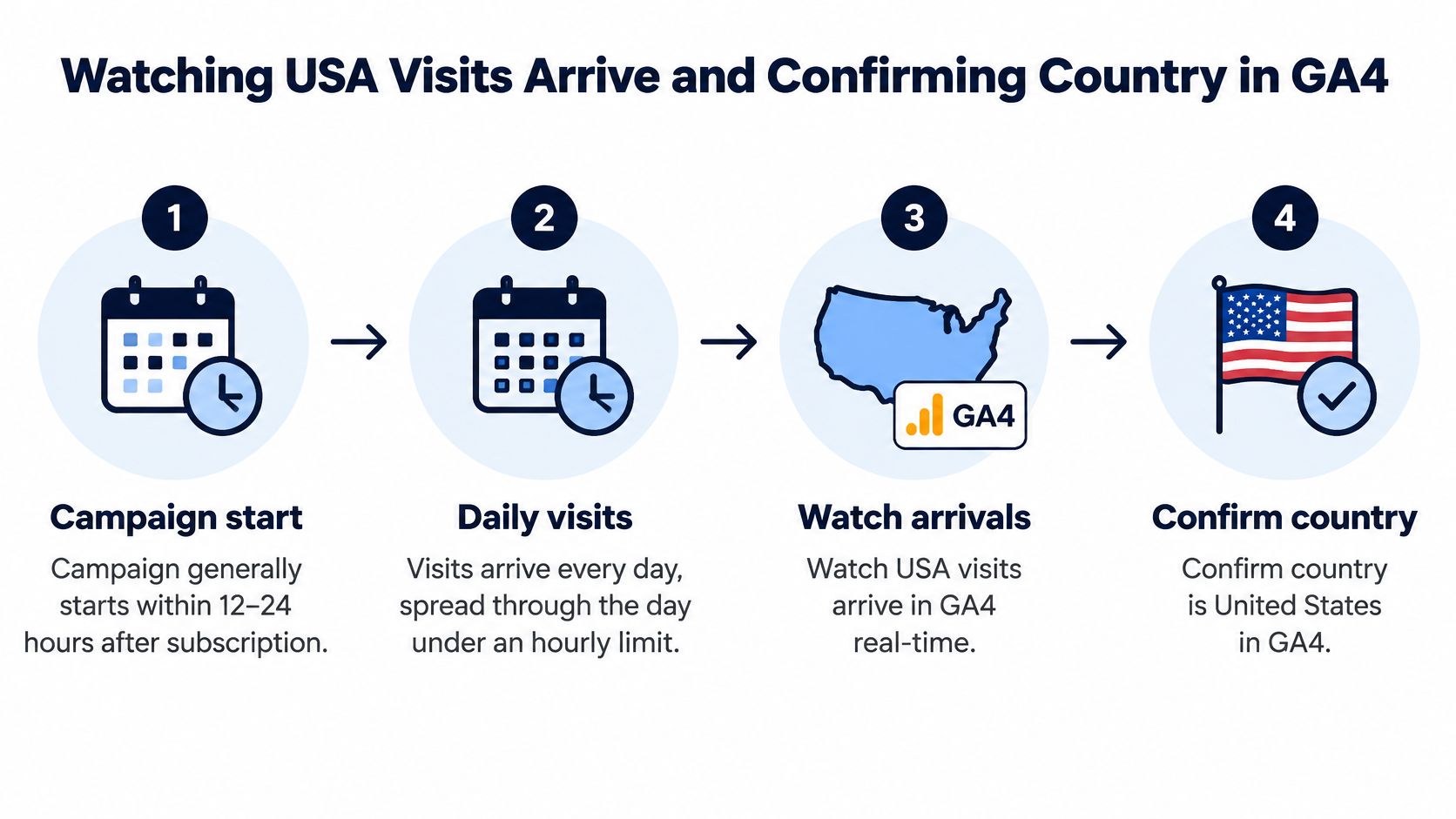
Verification starts shortly after checkout. Campaigns generally launch within 12-24 hours of subscribing, then deliver daily visits paced under an hourly cap. Over the first seven days, typical delivery lands around 1,400-2,800 visits on Silver, 2,800-4,200 on Gold, and roughly 10,500 on Diamond, giving site owners enough early data to confirm their analytics setup without waiting a full month.
The visual workflow below outlines the four main stages from initial subscription through live country confirmation in Google Analytics 4.
Seven Steps to Verify Delivery in Google Analytics 4
Analytics and search tools measure completely different systems. As explained in the Google Analytics Traffic acquisition documentation, the Traffic acquisition report tracks where new and returning users arrive from across traffic-source dimensions, while GA4 Realtime shows live site activity as it happens. Google Search Console only logs clicks occurring directly inside Google Search results, which is why purchased visits aren't guaranteed to show up there. Site owners who need a deeper dashboard walkthrough can review how to see your traffic in Google Analytics alongside the seven-step check below.
- Log your launch details: Record the exact subscription timestamp, submitted HTTPS destination URL, and chosen target keywords in a simple tracking sheet so you can compare dates accurately later.
- Watch live arrivals in Realtime: Open GA4 Realtime roughly 12 to 24 hours after ordering. You should see active users landing on the submitted page, with the United States appearing as the dominant map region.
- Confirm channel attribution: Go to Reports > Acquisition > Traffic acquisition and locate the Organic Search row. Because keyword-targeted visits arrive as organic search traffic for your selected phrases, GA4 groups them under that channel.
- Verify country distribution: Open Demographic details and inspect the country breakdown. Expect the vast majority of sessions to register as United States, knowing a small percentage from other countries is standard because IP-to-country lookups aren't flawless.
- Benchmark engagement metrics: Pull a clean seven-day window from right before the campaign began, then compare engaged sessions, average engagement time, and pages per session against week one. Bounce rate typically drops while multi-page browsing runs.
- Compare weekly totals with realistic expectations: Check your seven-day GA4 session total against the plan's expected weekly range. Remember that GA4 counts won't mirror campaign delivery numbers exactly due to ad blockers, cookie consent choices, tracking code placement, and processing delays.
- Audit missing data early: If recorded sessions sit drastically lower than the tier's floor, check whether your analytics tag sits too low in the page footer, fails behind a strict consent banner, or conflicts with a caching plugin. If your tag checks out and visits are still clearly short of your plan, email support: Noori Stream's refund policy says it will extend the campaign, or refund the undelivered share if it can't.
Reading Exposure Counts Without Overstating Results
Week one answers operational questions: did delivery start on schedule, are US sessions arriving, and is tracking firing cleanly? It's far too early to judge overall usefulness.
When reviewing numbers over time, remember that the low bounce rate settings shape the engagement figures: campaign visits open more than one page and stay on the site, so engaged sessions and pages per session rise while a campaign runs. That rise comes from the settings, so judge sales and sign-ups separately.
Pricing, Refunds and Cancelling Without Surprises
Subscription terms matter just as much as delivery speed when choosing a recurring service. Knowing the exact billing cadence, refund cutoffs, and cancellation behavior prevents unwanted renewals while keeping cost calculations clean.
The chart below summarizes the three monthly USD subscription tiers alongside the recurring billing terms handled through Stripe.
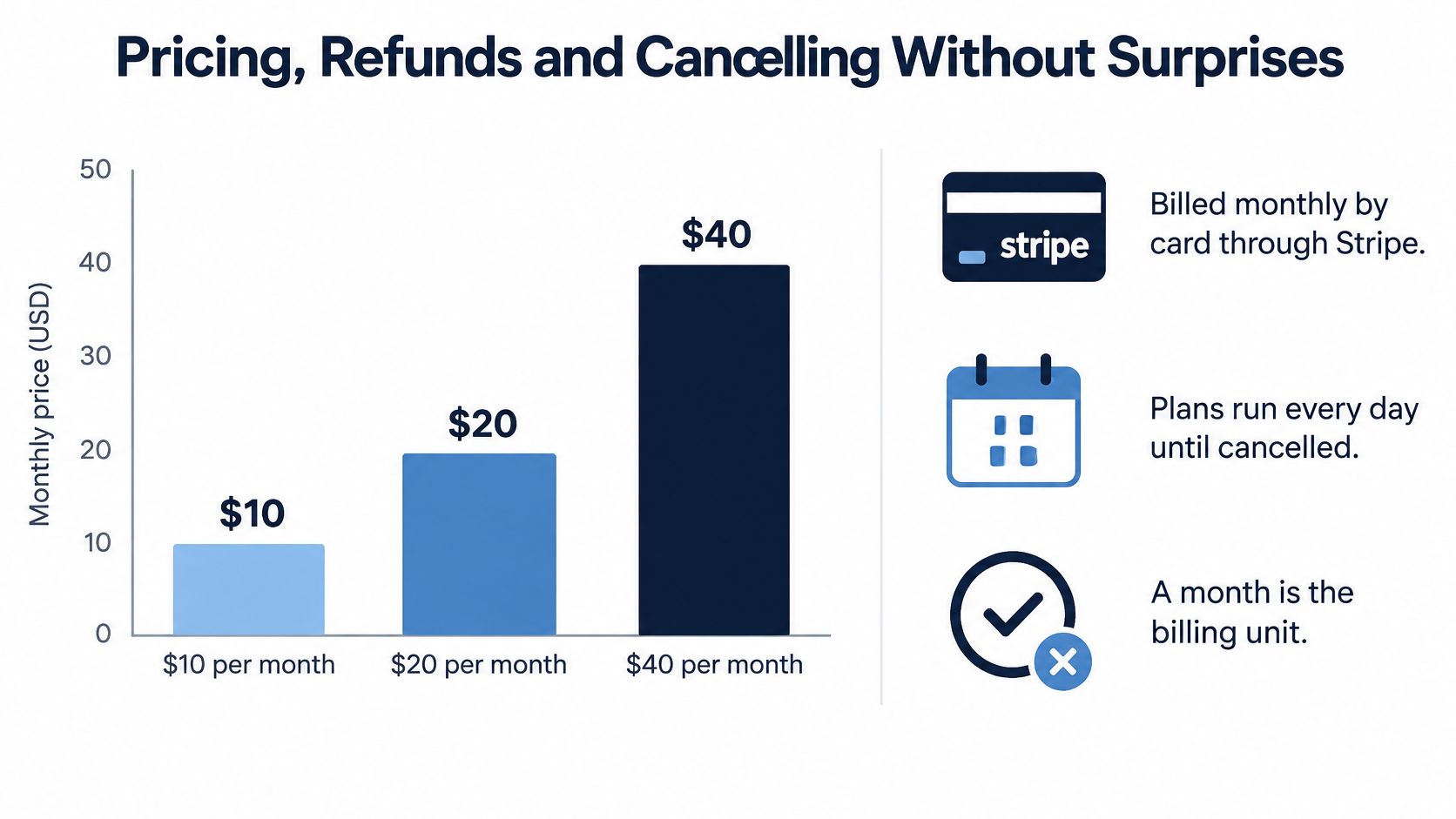
Noori Stream bills its $10, $20, and $40 USA tiers monthly in US dollars by payment card through Stripe. Because one full month serves as the billing unit, effective cost per visit depends on allowing a complete 30-day cycle to run rather than judging spend after a few days. Every subscription includes low bounce rate settings and can be cancelled at any time without penalty.
Refund Windows and Cancellation Rules
According to Stripe's subscription cancellation documentation, recurring billing can be ended immediately or scheduled to stop at the close of the current period, halting future automatic charges based on the account's setup. Act within these specific windows, detailed further in the official refund policy, to avoid billing surprises:
- Before campaign launch: Cancelling prior to delivery starting qualifies for a full refund of the monthly charge.
- Within 72 hours of launch or renewal: Requesting cancellation inside the first 72 hours after initial start or after a monthly renewal triggers a full refund for that month, provided the campaign is stopped.
- After the 72-hour window: Cancelling stops all future billing cycles, though the active month isn't refunded. Turning off renewal instead lets traffic continue flowing through the end of the already-paid month, with no refund issued for that period.
- Rejected URLs or failed starts: If the traffic network rejects the submitted destination page or the campaign can't launch, the monthly payment is refunded in full and the subscription is cancelled automatically.
Managing Billing and Evaluating Unit Cost
Checkout creates a private order page where subscribers view active campaign settings, inspect payment history, check the next billing date, update their payment card, or cancel directly without opening a support ticket. If that URL ever gets misplaced, email-based order recovery restores access quickly.
At the close of a billing period, divide the monthly price by the sessions GA4 recorded from your chosen country. That's your cost per recorded visit, and comparing it with the table above shows whether renewing for another month makes sense.
Confirm Your Plan and Judge the Results After a Month
A simple routine keeps the decision easy: check the fit before you buy, confirm delivery in the first two days, and review the full month before renewing.
- Verify audience fit first: Confirm the destination site targets American visitors through US English copy, dollar pricing, and domestic US shipping or fulfillment.
- Match the plan to your keywords: Pick Silver for one keyword, Gold for up to three, or Diamond when you want the most visits and up to four keywords.
- Enter clean HTTPS and US keyword details: Submit the exact HTTPS page to promote and the target phrases on the order form, because that submission is the complete setup with no separate information exchange after checkout. Use everyday American search wording, such as "vacation rentals" rather than "holiday lets", and choose phrases carefully before paying since they shape how the network delivers visits for the whole month.
- Confirm live delivery within 48 hours: Run the GA4 Realtime and Traffic acquisition checks described in the viewing section above during the first day or two after launch, verifying active visits and the United States as the main country before the refund window closes.
- Use the 72-hour window if the plan isn't right: If the visits aren't what you expected, cancel within 72 hours of launch for a full refund of that month instead of waiting past the cutoff.
- Score results after a full 30-day cycle: Compare the month's GA4 sessions and country split with what your plan promised before deciding whether to renew or stop. If the numbers disappoint, turning off renewal keeps traffic flowing until the end of the paid month, though that month isn't refunded.
Keep Campaign Visits Separate in Your Reports
Add the start and end dates of every campaign as annotations in GA4. When the subscription ends, those notes let you take the campaign weeks out of trend comparisons instead of guessing which weeks they were.
Never present purchased website sessions to investors, advertisers, affiliates or customers as organic popularity or social proof.
If you want steady daily visits from the United States that you can check in your own analytics, Noori Stream's country- and keyword-targeted USA plans start at $10 per month, with hourly pacing and a 72-hour full refund window. Pick a plan, enter your HTTPS page and American keyword phrasing, and watch the visits arrive in Google Analytics 4.
Ready to start a campaign?
Country and keyword targeting, visits within 12-24 hours, from $10/month.